
The Signal Map Eichler: Wi-Fi Dead Zones, Fiber, Mesh Networks & Remote-Work Resale Value
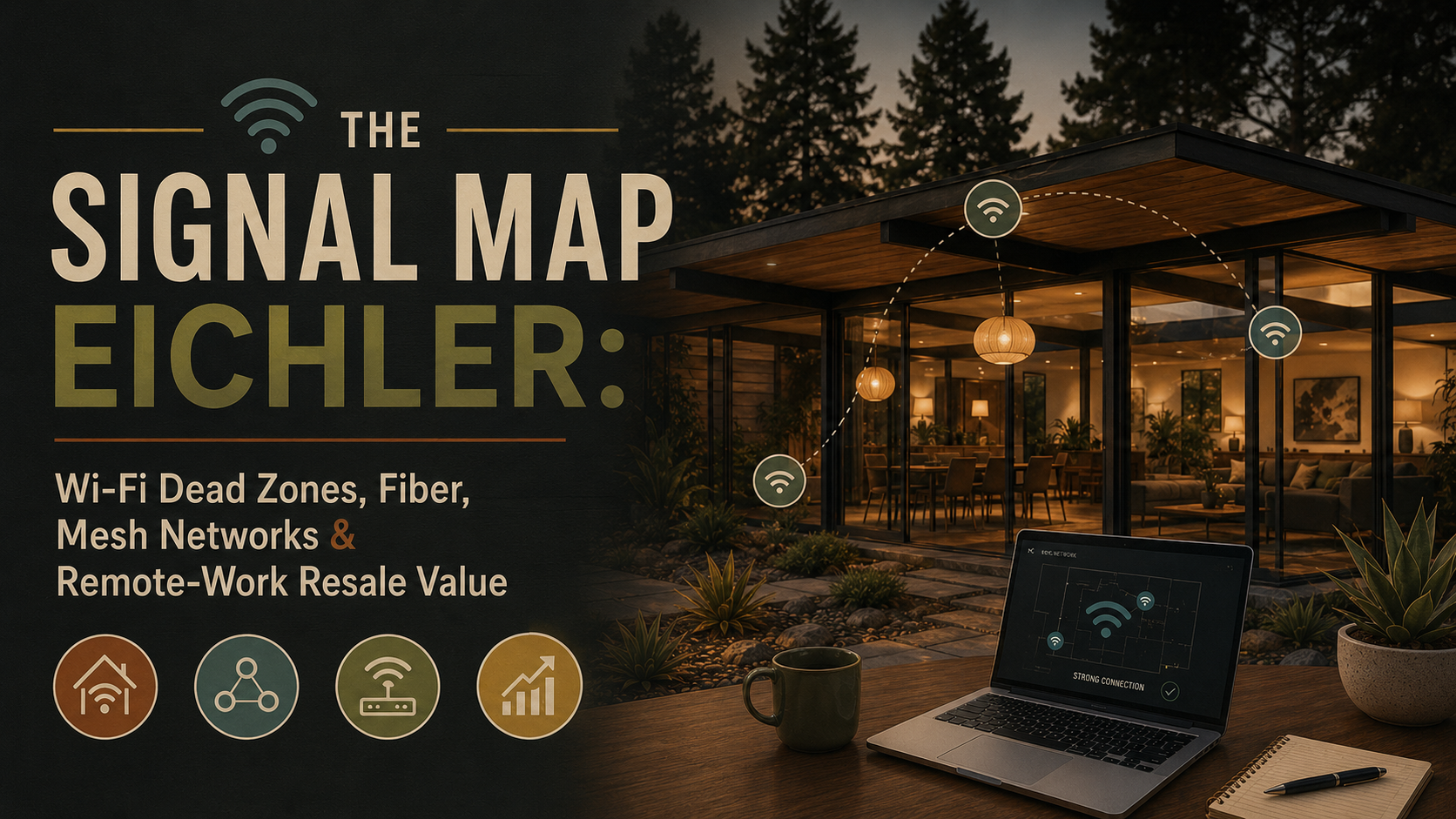
An Eichler looks beautifully simple when the Wi-Fi is working.
The glass wall opens to the garden. The atrium pulls in sky. The bedroom wing feels calm and private. The home office has the perfect backdrop. The carport has a smart lock, a camera, an EV charger, a package zone, maybe even a bikeport. The backyard is ready for music. The solar app wants to report production. The battery app wants to tell you something important. The security camera wants bandwidth. The teenagers want streaming. The home office wants a video call that does not turn your face into a pixelated Picasso.
Then someone takes a Zoom call in the back bedroom.
Frozen face. Robotic voice. “Can you hear me now?”
Suddenly, the Eichler is no longer just glass, beams, and light.
It is a network problem with a really nice ceiling.
That is the Signal Map Eichler.
And the Property Nerd question is:
Does the home’s digital floor plan match the architectural floor plan?
Because in 2026, a home’s livability is not measured only by square footage, roof condition, kitchen finishes, or whether the atrium has the right emotional gravity. It is also measured by whether the internet works where life actually happens.
Remote work is still a major part of American household life. The Bureau of Labor Statistics reported that 22.6% of workers teleworked or worked at home for pay in March 2026, with the telework rate ranging between 21.5% and 23.0% over the prior year. The FCC also raised its fixed broadband benchmark in 2024 to 100 Mbps download and 20 Mbps upload, with a long-term goal of 1 Gbps download and 500 Mbps upload.
That means connectivity is no longer a bonus feature.
It is infrastructure.
And in an Eichler, infrastructure needs to be handled with style.
Why Wi-Fi Belongs in the Eichler Conversation
Most Eichler marketing talks about what buyers can see.
That makes sense. Eichlers are visual homes. Floor-to-ceiling glass. Exposed post-and-beam structure. Central atriums. Sliding doors. Low rooflines. Radiant floors. Private gardens. Open plans. EichlerHomesForSale.com describes Eichlers through exactly those architectural qualities: post-and-beam construction, expansive glass walls, sliding doors, radiant heating, atriums, and indoor-outdoor living.
But the modern Eichler is not only visual.
It is digital.
The home office needs a stable connection. The router needs a smart location. The garage may need Wi-Fi for a smart opener. The carport may need signal for cameras, package security, lighting, EV charger apps, or e-bike charging. The solar inverter may depend on connectivity. Battery monitoring may depend on Wi-Fi. Smart locks, thermostats, irrigation controllers, leak sensors, speakers, media systems, and doorbells all want a place on the network.
The Eichler may have been designed for light and air.
The household now runs on signal.
That is not a bad thing. In fact, Eichlers can be wonderful connected homes because they are flexible, open, and adaptable. But the same features that make them beautiful can also create network planning puzzles. The home may be long and low. The router may be trapped in a garage corner. The bedroom wing may sit far from the modem. Glass and outdoor living may push devices into patios, atriums, and carports. The most beautiful office may not be the most connected office.
A generic listing says, “Great home office.”
A Property Nerd asks:
Can it survive Tuesday at 10 a.m.?
What Is a Signal Map?
A signal map is the digital overlay of the house.
The floor plan tells you where people live.
The signal map tells you where the Wi-Fi survives.
It answers questions most buyers do not think to ask until after closing:
Where does internet enter the home?
Where is the modem?
Where is the router?
Is there fiber, cable, fixed wireless, 5G home internet, or something else?
Where are the mesh nodes?
Are they connected wirelessly or through Ethernet backhaul?
Which rooms have strong signal?
Which rooms are dead zones?
Does the home office actually work?
Does the backyard have coverage?
Does the carport have coverage?
Can the garage door opener, smart lock, cameras, solar app, battery system, irrigation controller, and EV charger all communicate reliably?
Does the network look clean enough for listing photos?
Can the system transfer cleanly to a buyer?
That is the Signal Map Eichler.
It is not about buying the fanciest router and hoping for the best.
A router on a shelf is not a system.
It is a hope with antennas.
A connected Eichler is not the one with the most expensive equipment. It is the one where internet service, router location, mesh coverage, Ethernet, smart devices, work routines, staging, and architecture all make sense together.
The Internet Entry Point: The New Utility Meter
Every signal map starts with one unglamorous question:
Where does the internet enter the house?
This is the new utility detective work. The cable line, fiber ONT, modem, gateway, old coax, phone line, or low-voltage cabinet may be hiding in a garage, closet, laundry area, office, carport-adjacent wall, media cabinet, or random corner where a prior owner once said, “This is probably fine.”
Sometimes it is fine.
Sometimes it is why the back bedroom cannot hold a video call.
The FCC recommends central router placement to improve home Wi-Fi coverage and notes that range extenders or mesh routers can help address coverage problems. That central-placement advice sounds obvious until you apply it to an Eichler. Many Eichlers are long, low, and spread out, with bedroom wings, carports, garages, atriums, side yards, and glass-heavy living areas. If the router is parked at one end of the house because that is where the internet line enters, the rest of the home may be asking the signal to run a marathon.
The internet entry point is the new utility meter.
Ignore it, and the whole house starts improvising.
For buyers, this is worth asking during due diligence: What provider serves the home? Is fiber available? Where does service enter? Where is the modem? Is there existing Ethernet? Is there a structured media panel? Is the home relying on one router, extenders, or a true mesh system?
For sellers, this is a quiet confidence-builder. A buyer may not ask immediately, but if the home has fiber, upgraded Ethernet, a clean mesh network, or a well-planned home office, that belongs in the story.
Not as a tech flex.
As livability.
Fiber, Cable, 5G, and the Difference Between “Internet” and “Good Internet”
A seller saying “the house has internet” is like saying “the house has plumbing.”
Technically helpful.
Not enough.
Modern buyers may care about provider options, download speed, upload speed, latency, reliability, data caps, service history, and whether the current setup can support remote work, streaming, gaming, smart-home devices, outdoor cameras, security systems, EV chargers, and solar monitoring.
Upload speed matters more than many people realize. Video calls, cloud backups, large file transfers, remote work platforms, and content creation can all depend on reliable upload performance. That is part of why the FCC’s updated fixed broadband benchmark of 100/20 Mbps matters; the old idea of “good enough internet” has changed.
In Silicon Valley, buyers may be especially sensitive to this. An Eichler can have a world-class atrium and still disappoint a buyer if the office cannot support a stable workday.
That does not mean every home needs enterprise-grade networking.
It means the digital story should be understood.
A connected Eichler should know:
Who provides service.
What speed tier is currently used.
Whether fiber is available.
Whether coax or Ethernet wiring exists.
Whether the router location makes sense.
Whether the office is reliable.
Whether outdoor areas are covered.
Whether the smart-home devices are organized or just accumulating.
The modern Eichler does not just need a roof, a slab, and a garden.
It needs bandwidth with manners.
Mesh Wi-Fi and the Eichler Floor Plan
Mesh Wi-Fi sounds like magic.
Sometimes it is.
Sometimes it is several small routers having a confused group project.
A mesh system uses multiple nodes to spread coverage across the home. That can be extremely useful in an Eichler because the home may be long, one-story, and divided into zones: living room, kitchen, atrium, bedroom wing, garage, carport, backyard, office, pool area, or detached studio.
But mesh placement matters.
A mesh node hidden behind books, shoved into a closed cabinet, buried under décor, plugged behind a sofa, or placed where it can barely hear the main router may not help much. A node placed in the wrong spot can also become visual clutter, which is a particular crime in an Eichler.
A mesh node should not become the most noticeable object in an Eichler living room.
The internet should be strong, not visually needy.
A good mesh plan thinks about both signal and sightline. Nodes should be placed where they can communicate effectively, but not where they interrupt the architecture. A node in a low credenza can work if it has ventilation and signal. A node tucked into a metal cabinet usually does not love its life. A node beside a plant may be fine. A node sitting on top of an original wood ledge with cords dangling down the wall is asking to be judged.
Property Nerds judge gently.
But we judge.
Ethernet Backhaul: The Upgrade Buyers May Never See but Will Feel
Here is where things get pleasantly nerdy.
A mesh network can connect wirelessly from node to node. That is convenient. But when possible, wired Ethernet backhaul can make the network more stable because the nodes communicate through hardwired connections rather than depending entirely on wireless hops.
This is one of those upgrades buyers may never see but will absolutely feel.
The best network upgrade is the one nobody sees and everybody stops complaining about.
In an Eichler, Ethernet planning must be design-sensitive. You do not want exposed cables running across original wood ceilings, random conduit interrupting beams, or wall cuts that damage character-defining materials. Low-voltage wiring may be routed through garages, closets, cabinetry, exterior utility paths, or carefully planned access points depending on the house. Some homes may have existing coax or old phone lines that can be repurposed or replaced. Some may need a professional low-voltage plan.
The Property Nerd question is not simply, “Can we wire it?”
It is:
Can we wire it without making the Eichler look wired?
For sellers, professionally installed Ethernet or access points can be a quiet value story. Provide documentation if available. For buyers, ask whether the mesh network is purely wireless or has wired backhaul. Ask whether the home office has Ethernet. Ask whether the garage, carport, or backyard coverage depends on a fragile wireless chain.
A connected Eichler should not need a ritual of router reboots and hallway extenders.
It should just work.
The Eichler Home Office Test
A staged desk is not a home office.
A home office is a room that can survive Tuesday at 10 a.m.
That means internet, power, sound privacy, lighting, camera background, comfort, and a layout that does not turn work into an ergonomic apology.
In an Eichler, the office test is especially important because the prettiest office may not be the most functional office. A glass-walled room may have a gorgeous garden view and terrible glare. A bedroom wing office may be quiet but far from the router. A carport-adjacent studio may be private but network-challenged. A dining-area desk may look elegant in photos but fail the first confidential call.
Buyers should ask:
Can this room hold a video call?
Is the Wi-Fi strong here?
Is Ethernet available?
Are outlets convenient?
Does the glass create glare?
Is the room acoustically private?
Does the router sit nearby or on the other side of the house?
Would mesh or wiring solve the problem?
Can upgrades be made without exposed cords or ugly conduit?
Sellers should stage offices with this in mind. A beautiful desk, clean cable management, strong lighting, a calm background, and reliable connectivity can make a buyer feel that the home is ready for modern life.
The office should not look like a tech panic zone.
It should look like productivity found a garden view.
Glass, Atriums, and Signal: The Architecture Is Not the Enemy, But It Has Opinions
Wi-Fi does not care that your atrium is beautiful.
Rude, but true.
Wireless signal moves through and around materials differently. Walls, distance, appliances, metal, equipment cabinets, mirrors, certain glass assemblies, exterior walls, and device placement can all affect performance. An Eichler’s open plan may help in some areas, while the long layout, bedroom wing, garage location, exterior walls, and outdoor spaces may create weak spots.
The atrium is especially interesting because it may interrupt the direct interior route between devices or push coverage into outdoor spaces. The backyard may need coverage for speakers, pool equipment, security cameras, irrigation, outdoor work, or streaming. The carport may need coverage for smart locks, cameras, EV charging apps, package monitoring, garage controls, and lighting.
The network has to follow the way the home actually lives.
A conventional router plan may not understand that the garage, carport, atrium, and backyard are not secondary spaces in an Eichler. They are part of the lifestyle.
The signal map should include them.
The Carport, Garage, and Outdoor Wi-Fi Problem
The carport is no longer just where the car sleeps.
It is where half the smart-home devices go to ask for signal.
Think about it. A modern Eichler carport or garage may include a smart garage door opener, EV charger, e-bike chargers, package camera, gate lock, smart lighting, solar inverter, battery gateway, irrigation controller, low-voltage panel, or outdoor speaker zone. None of these devices cares that the router is happier in the living room.
They want signal.
If the network does not reach the carport, smart features become dumb features with apps.
That is not a selling point.
A connected Eichler should test coverage in the garage, carport, side yard, entry gate, backyard, pool area, and detached studio if present. This does not mean every corner needs perfect streaming speed, but smart devices should be reliable where they are installed.
For sellers, clean exterior tech matters. A working package camera, smart lock, EV charger app, or garage controller can support buyer confidence, but only if the system is organized, documented, and visually restrained.
For buyers, ask whether those devices are staying with the home and whether they depend on the current owner’s accounts.
The carport may be architectural.
The apps are operational.
Both need a plan.
Smart Home Devices Need a Network Strategy
Smart-home devices are like kitchen junk drawers.
At first, everything seems useful.
Then one day you open the app list and realize the house has a thermostat, two cameras, one mystery bridge, a smart lock, a garage controller, three speakers, a light hub, a solar app, an irrigation app, a doorbell, a battery monitor, and an old plug named “Lamp 4” that controls nothing known to science.
This is why a smart Eichler needs a network strategy.
NIST recommends planning before buying smart-home devices, enabling authentication, avoiding password reuse, disabling unused features, monitoring privacy settings, enabling automatic updates, and considering a separate network for smart-home devices.
The Property Nerd version:
The weakest link in a smart Eichler may not be the lock.
It may be the old router password from three owners ago.
For sellers, this means smart devices should be audited before listing. What stays? What goes? What accounts exist? What subscriptions are required? What devices are dead? What hubs are still plugged in but forgotten? What cameras need to be reset? How will the buyer receive access?
For buyers, this means asking about transfer. A smart home with orphaned accounts is not smart. It is haunted by firmware.
A clean smart-home handoff can make a home feel modern and well managed. A messy one can create frustration after closing.
Connectivity is not just signal strength.
It is ownership clarity.
Signal Without Visual Clutter
Here is the Eichler design problem.
Routers, modems, mesh nodes, hubs, bridges, cords, access points, extenders, speakers, chargers, network switches, power strips, and smart-home devices are usually not beautiful.
Eichlers are.
So the technology needs to behave.
An Eichler should not look like the router is winning.
The ideal network setup is strong, ventilated, accessible, and visually quiet. Routers should not be buried inside metal cabinets or sealed into overheated closets. Mesh nodes should not be hidden so well that they stop working. Cords should not dangle down original paneling. Network switches should not sit in the middle of a credenza with blinking lights facing the living room. The home office should not look like a data center having an emotional moment.
Good solutions include low credenzas with ventilation, cable-managed office furniture, clean equipment shelves in garages or closets, labeled network gear, hidden but accessible hubs, and a plan for where each device belongs.
For sellers, this matters in photos. Buyers should remember the glass and beams, not router spaghetti. Before photography, remove dead devices, hide cords, label what stays, and clean up tech clutter.
For buyers, do not mistake a clean staging environment for a complete network. Ask where the equipment went. Ask what stays. Ask how the signal works.
The goal is not to hide the digital life.
It is to make it civilized.
The Signal File: A Seller’s Quiet Advantage
A seller does not need to promise perfect Wi-Fi forever.
They need to show buyers the digital story is understood.
That is where the Signal File comes in.
A Signal File is a simple documentation packet that helps buyers understand the home’s connectivity. It may include the internet provider, current speed plan, router or mesh equipment list, known Ethernet wiring, low-voltage contractor records, smart-home device list, solar or battery app dependencies, EV charger connectivity notes, home office setup notes, device transfer instructions, and a network reset plan before closing.
A seller might even include recent speed tests from key rooms: office, bedroom wing, living room, garage, backyard. That is not required, but it is delightfully Property Nerdish.
And buyers love useful confidence.
A Signal File says: this home is not only beautiful; it has been lived in by someone who understands how modern life works.
The seller is not saying, “The Wi-Fi will be perfect for every buyer forever.”
The seller is saying, “Here is the current digital map.”
That is much better.
The Five-Minute Signal Walk for Buyers
Do not just tour the Eichler.
Walk the Wi-Fi.
The Five-Minute Signal Walk is simple.
Start where the internet enters the home. Find the modem, router, fiber ONT, or gateway. Then walk to the home office. Check whether signal is strong. Walk to the bedroom wing. Walk to the garage. Walk to the carport. Walk to the backyard or pool area. If a detached studio or ADU exists, test that too.
Ask where mesh nodes live. Ask whether Ethernet exists. Ask whether the router is centrally placed or trapped in a corner. Ask whether smart devices transfer with the sale. Ask whether the solar app, EV charger, irrigation controller, cameras, and garage opener depend on Wi-Fi. Ask whether any devices require subscriptions.
This is not overthinking.
This is how people live now.
A house can be beautiful and still fail the daily network routine. A buyer who works from home, streams, uses smart security, charges an EV, manages solar, or needs outdoor coverage should know what they are buying.
The five-minute signal walk may be less romantic than standing in the atrium at golden hour.
Do both.
Romance plus due diligence is the Property Nerd way.
Buyer Strategy: What to Ask Before Removing Contingencies
A buyer evaluating a connected Eichler should ask a few practical questions before getting too comfortable.
Who provides internet service?
Is fiber available?
What speed plan does the seller use?
Where does service enter the home?
Where is the modem or router?
Is there a mesh network?
Are mesh nodes wireless or Ethernet-backed?
Is there Ethernet in the office?
Are there Wi-Fi dead zones?
Does the bedroom wing have reliable coverage?
Does the garage or carport have signal?
Does the backyard have signal?
Do smart locks, cameras, solar, battery, irrigation, or EV systems depend on Wi-Fi?
Are smart devices included?
Can accounts be transferred?
Will devices be reset before closing?
Are there visible wires, dead hubs, or mystery devices?
Can the home be upgraded without damaging original features?
The goal is not to demand a perfect network.
The goal is to understand whether the house supports the buyer’s lifestyle — or whether the buyer will be calling an installer before unpacking the dishes.
Seller Strategy: How to Stage a Connected Eichler
A connected Eichler should not look like a connected Eichler.
That is the paradox.
The internet should work everywhere, but the equipment should not visually dominate anywhere. Before listing, sellers should clean up the tech layer the same way they clean up closets, kitchens, garages, and atriums.
Remove dead devices. Hide cords. Label equipment. Clean up the router area. Organize the office. Remove extra monitors unless they support the room. Hide printers. Make sure mesh nodes look intentional. Do not leave extenders plugged randomly in hallways. Remove old security cameras that no longer work. Make sure smart locks and doorbells are clean, charged, and functioning.
If the home has a great office, stage it as an office that works. Good desk placement, clean cable management, strong natural light, a calm video-call background, and a visible but subtle connectivity story can help buyers imagine daily life.
If the home has outdoor Wi-Fi, do not overstate it. Mention it where appropriate. Let buyers see that the backyard, garage, or studio can support modern living.
A connected Eichler should feel seamless.
Not gadgety.
Connectivity and Resale Value
Connectivity may not create a simple line-item appraisal adjustment.
But it absolutely affects buyer confidence.
Buyers may not say, “This home has excellent low-voltage infrastructure.”
They will say:
“This home works.”
That feeling matters.
A reliable home office can support a stronger buyer reaction. A clean smart-home handoff can reduce post-closing frustration. Fiber availability can matter to tech-focused buyers. Ethernet-backed mesh can make the bedroom wing feel usable. Outdoor Wi-Fi can support the Eichler lifestyle. A clutter-free tech setup can make the architecture feel calmer.
On the other hand, a messy digital story can create doubt. Dead zones, router clutter, exposed cords, mystery smart devices, orphaned accounts, weak office signal, and garage cameras that barely connect can make a modernized Eichler feel less polished than it looks.
Connectivity is invisible until it fails.
Then it is the only thing anyone talks about.
That is why the signal map belongs in the resale conversation.
Two Similar Eichlers, Two Different Digital Stories
Imagine two similar Eichlers in the same neighborhood.
Both have glass walls, atriums, open plans, and a beautiful home office option.
In the first home, fiber enters cleanly in the garage. A mesh network with Ethernet backhaul covers the living room, office, bedroom wing, carport, and backyard. The home office has strong signal and clean cable management. The smart locks, cameras, EV charger, solar monitoring, and irrigation controller are documented. The seller has a Signal File. Buyers feel like the home is ready for modern life.
In the second home, the router sits behind the television at one end of the house. A hallway extender blinks sadly from an outlet. The back bedroom office freezes during a test call. The garage camera is offline. The seller is not sure what transfers. There are cords in the office and a mystery hub in the laundry area. Buyers still love the architecture, but now the digital layer feels like homework.
Both homes have internet.
Only one has a signal map.
That is the difference.
How the Boyenga Team at Compass Helps Eichler Buyers and Sellers
Eichler homes require more than standard real estate guidance. They are architectural, emotional, technical, and increasingly digital. Their value is shaped by glass, beams, atriums, radiant slabs, rooflines, landscaping, storage, acoustics, power, and now signal.
That is where Eric and Janelle Boyenga of the Boyenga Team at Compass bring the Property Nerd advantage.
EichlerHomesForSale.com describes the Boyenga Team as a trusted Silicon Valley real estate team known in the industry as the “Property Nerds,” with Eric and Janelle Boyenga recognized for high-value Bay Area real estate expertise and decades of experience. Their Eichler buying services emphasize architectural authenticity assessments, original Eichler details, modifications, historic value, and restorative needs — exactly the kind of specialized thinking that helps clients evaluate both visible architecture and invisible infrastructure.
For sellers, the Boyenga Team can help prepare the home so the architecture leads and the technology supports. That may mean staging the office, hiding cord clutter, documenting smart devices, clarifying network systems, preparing a Signal File, and making sure buyers experience the home as calm, connected, and current.
For buyers, the Boyenga Team helps evaluate how an Eichler actually lives. Does the office work? Does the bedroom wing have signal? Does the carport support smart devices? Do solar and battery apps transfer? Can the network be upgraded without damaging original details? Does the home’s digital floor plan support the buyer’s real life?
A generic agent might say, “Great home office.”
A Property Nerd asks:
Where does the internet enter?
Where does the signal die?
What devices depend on the network?
Does the office work with the door closed?
Can the carport camera stay connected?
Will the router spaghetti show in the photos?
And will the buyer be able to take a call from the room they actually want to use?
That is the difference between showing a room and understanding a home.
Work With Eichler Real Estate Experts
Thinking of buying or selling an Eichler? Work with Eric and Janelle Boyenga of the Boyenga Team at Compass — Eichler real estate experts who understand how architecture, home offices, fiber, Wi-Fi, smart-home systems, staging, inspections, disclosures, and buyer psychology come together.
Whether you are preparing a connected Eichler for market or evaluating a mid-century modern home for remote work and smart living, the Boyenga Team helps clients see what others miss: not just the glass and beams, but the signal map behind the lifestyle.
An Eichler is a house of light.
In Silicon Valley, it also needs to be a house of signal.
FAQ: Eichler Wi-Fi, Fiber, Mesh Networks & Signal Maps
What is a Signal Map Eichler?
A Signal Map Eichler is an Eichler evaluated through its digital infrastructure: internet entry point, router placement, mesh network, Ethernet wiring, home office reliability, smart-home devices, outdoor coverage, and Wi-Fi dead zones.
Why can Wi-Fi be tricky in Eichlers?
Eichlers are often long, low, one-story homes with open plans, bedroom wings, garages, carports, atriums, and indoor-outdoor spaces. A poorly placed router may not cover the whole home, especially if the internet entry point is at one end of the house.
Is fiber internet important for Eichler buyers?
It can be. Fiber availability may matter to buyers who work remotely, stream heavily, use cloud services, or run multiple smart-home systems. Buyers should verify provider options and service availability for the specific address.
What is mesh Wi-Fi?
Mesh Wi-Fi uses multiple nodes to extend coverage throughout a home. It can work well for Eichlers, especially when nodes are well placed and not hidden in signal-blocking cabinets or awkward corners.
What is Ethernet backhaul?
Ethernet backhaul means mesh nodes or access points are connected through wired Ethernet rather than relying only on wireless connections. It can improve reliability, especially in larger or spread-out homes.
Should sellers document their home network?
Yes. A simple Signal File with provider, speed plan, mesh equipment, Ethernet notes, smart-home device list, and transfer instructions can help buyers understand the digital setup.
What should buyers test during a showing?
Buyers should check signal strength in the home office, bedroom wing, garage, carport, backyard, and any detached studio or ADU. They should also ask what smart devices depend on Wi-Fi and whether those devices transfer with the sale.
Can smart-home devices create security issues?
Yes. NIST recommends planning before buying smart-home devices, enabling authentication, avoiding password reuse, disabling unused features, monitoring privacy settings, enabling updates, and considering a separate network for smart-home devices.
Does Wi-Fi affect resale value?
It can affect buyer confidence. Buyers may not pay a line-item premium for mesh Wi-Fi, but a reliable home office, fiber availability, clean smart-home setup, and strong signal in key spaces can make the home feel more functional and current.
This article is for general educational purposes only and should not be treated as legal, cybersecurity, electrical, low-voltage, internet-service, construction, inspection, tax, appraisal, insurance, or real estate advice for a specific property. Internet availability, speed, Wi-Fi coverage, wiring feasibility, smart-device transfer, cybersecurity needs, equipment compatibility, and resale value vary by home, provider, hardware, and jurisdiction. Eichler buyers, sellers, and homeowners should consult qualified real estate professionals, internet service providers, low-voltage contractors, electricians, cybersecurity resources, inspectors, and appropriate advisors before making property-specific decisions.